Codex desktop app
The Codex desktop app shares one config file with the CLI, so there is nothing extra to set up — this page shows how to confirm it took effect.
The Codex desktop app (macOS and Windows) reads the same ~/.codex/config.toml as Codex CLI. Once you've configured a provider on the previous page, the desktop app needs no additional setup.
If you haven't configured one yet, start with Configure a model provider.
Confirm the configuration took effect
To check that the desktop app really picked up your configuration, compare the two sides in four steps.
Look at what was written
If you used CC Switch: open it, click the provider entry to open its editor, and scroll down to the config.toml (TOML) block to see exactly what was written.
If you edited the file yourself: just open ~/.codex/config.toml.
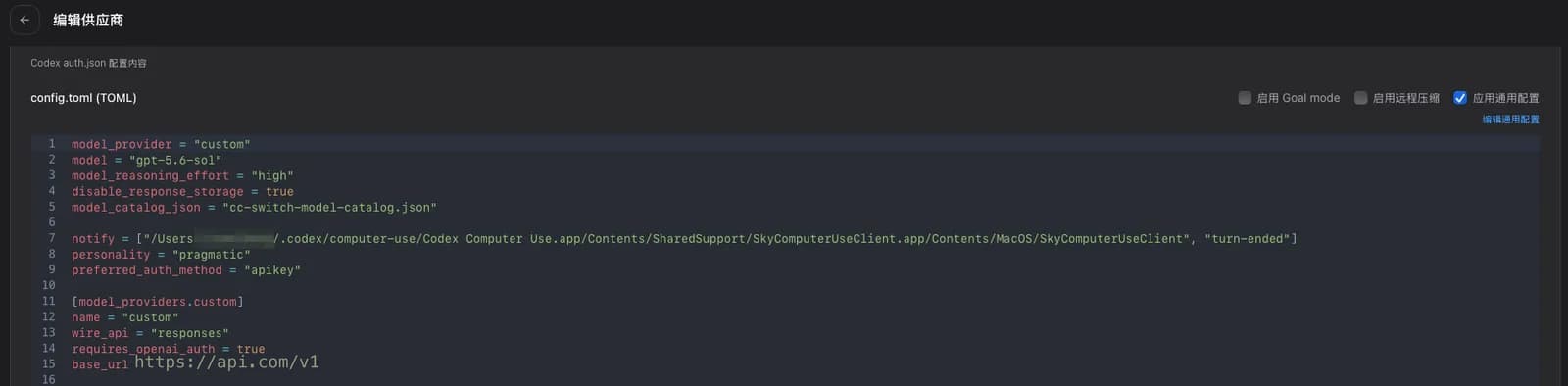
The provider can be called anything (custom above) as long as model_provider and [model_providers.…] agree.
Open the desktop app's config.toml
In the desktop app, open Settings, pick Config on the left, and click Open config.toml at the top right. The file opens in your default editor.
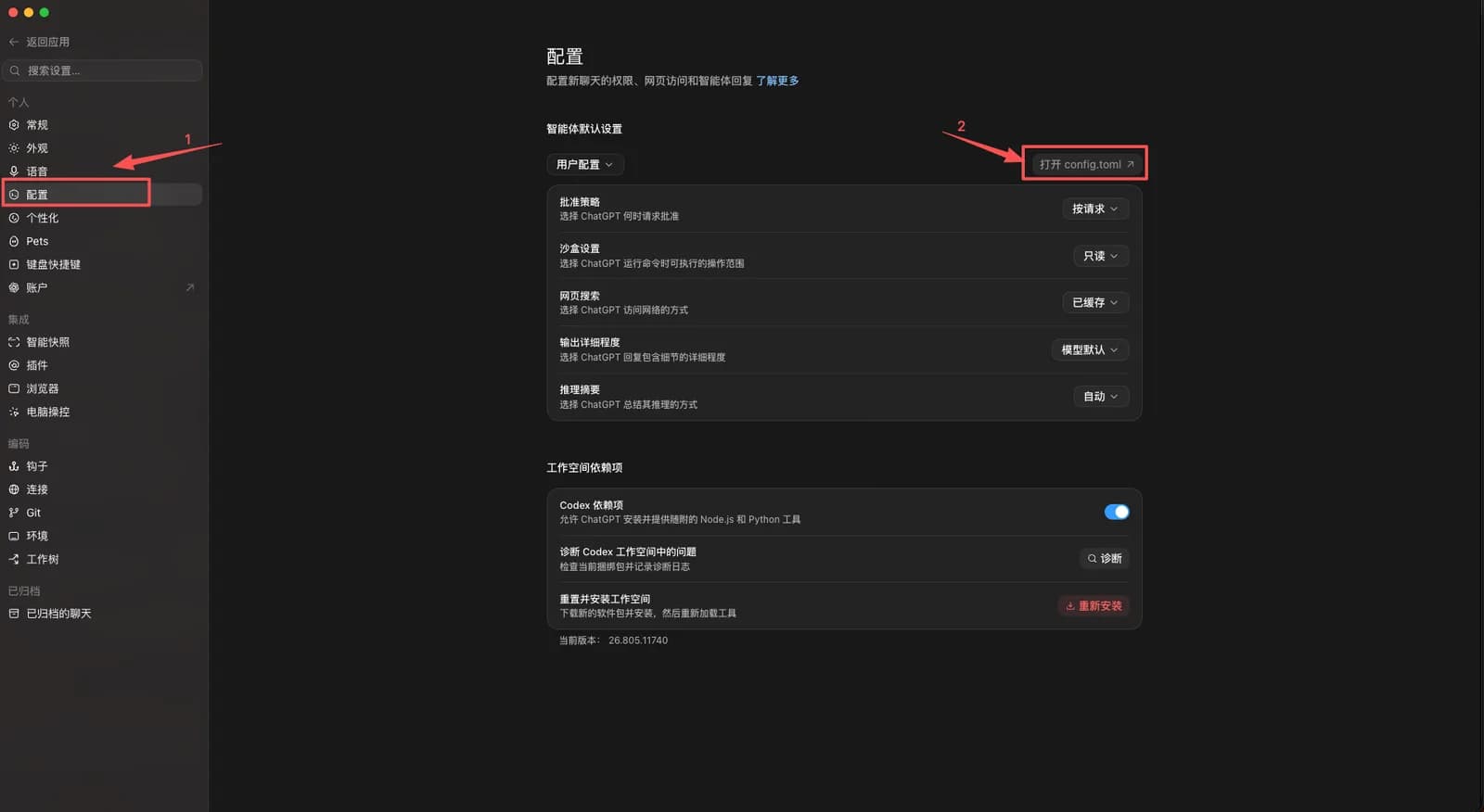
Compare the two
Focus on model_provider and base_url. If they match, the desktop app is reading the same configuration.
Send a message
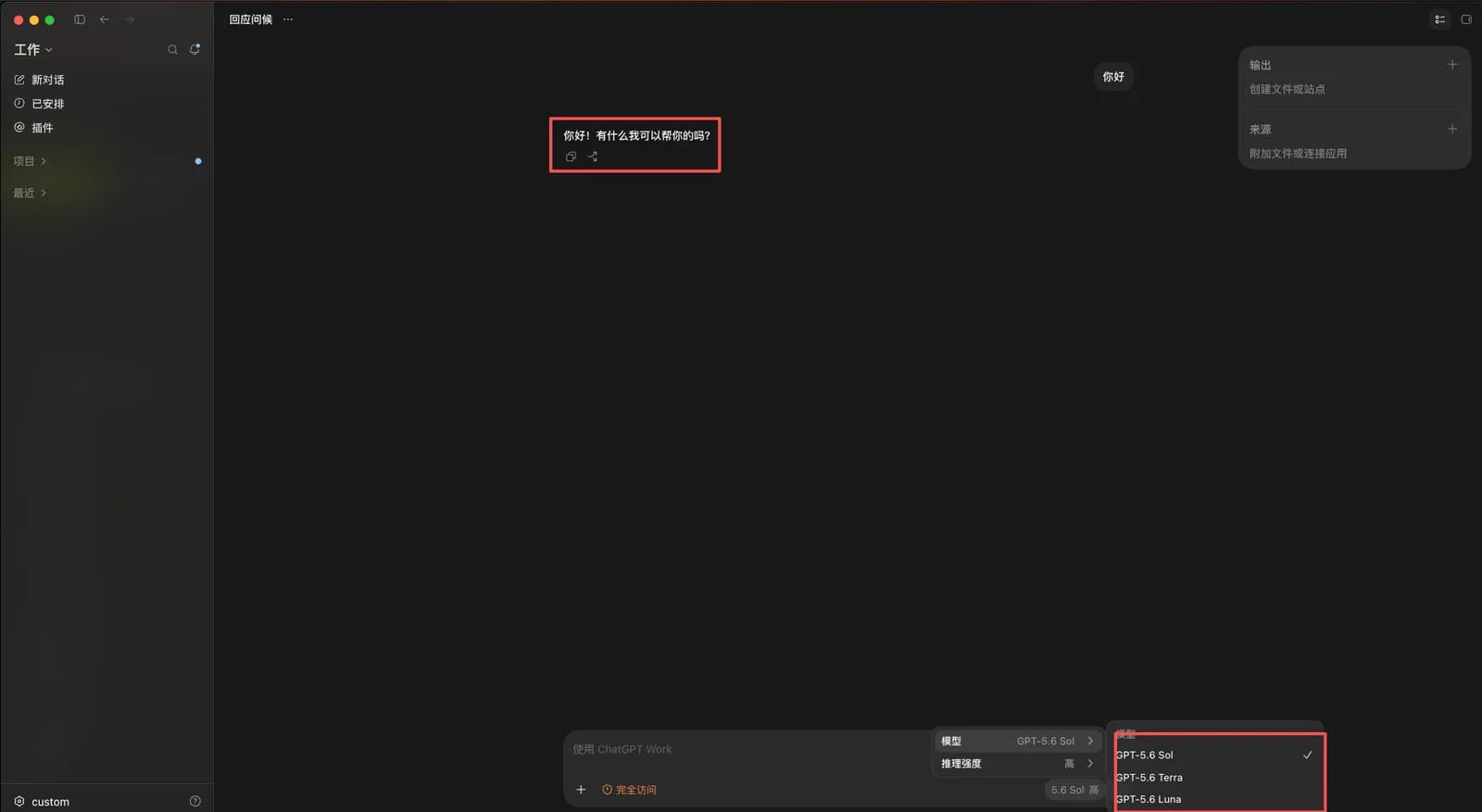
Send a test message in the desktop app; a normal reply confirms the connection. The bottom right of the composer shows the active model and reasoning effort, and opens into a picker listing the models from your model mapping.
Troubleshooting
| Symptom | Fix |
|---|---|
| The desktop app still asks you to sign in to OpenAI | It didn't pick up the configuration. Run the four-step comparison above and confirm model_provider matches on both sides. |
The two config.toml files differ | Restart the desktop app after changing anything in CC Switch — it re-reads the file at launch. |
| The desktop app errors while the CLI works | The key comes from different places: Method C keeps it in an environment variable, which the desktop app doesn't necessarily inherit from your shell. Configuring through CC Switch (Method A or B) avoids this. |
Configure a model provider
Point Codex CLI at HopsAPI's OpenAI Responses endpoint. Import it into CC Switch from the console in one click, add it in CC Switch by hand, or edit config.toml yourself.
Install Claude Code
Install and verify Claude Code on macOS, Windows, and Linux, then point it at HopsAPI.